A branded client waiting room for financial advisors
Clients trust advisors who feel considered and professional at every step. Lobbi gives your virtual consultations a premium waiting room with your brand, an overview of your services, and your latest market outlook, so the relationship starts before the call does.
The short answer
- Lobbi gives your consultation link a branded waiting room in place of a generic video-call screen.
- Prospective clients see a premium welcome, your planning and advisory services, and your market outlook or upcoming events.
- Check-in is optional and asks only what you choose.
- You admit clients into Google Meet, Zoom, or Microsoft Teams when you’re ready.
Why does the waiting experience matter for advisors?
Choosing a financial advisor is a decision about trust. A prospect who arrives to a polished room with your firm’s brand, the advisor they’re meeting, and evidence of your thinking is reassured before you say a word. For existing clients, a consistent, branded entrance to every review meeting reinforces that they’re in good hands.
What to put in an advisor’s waiting room
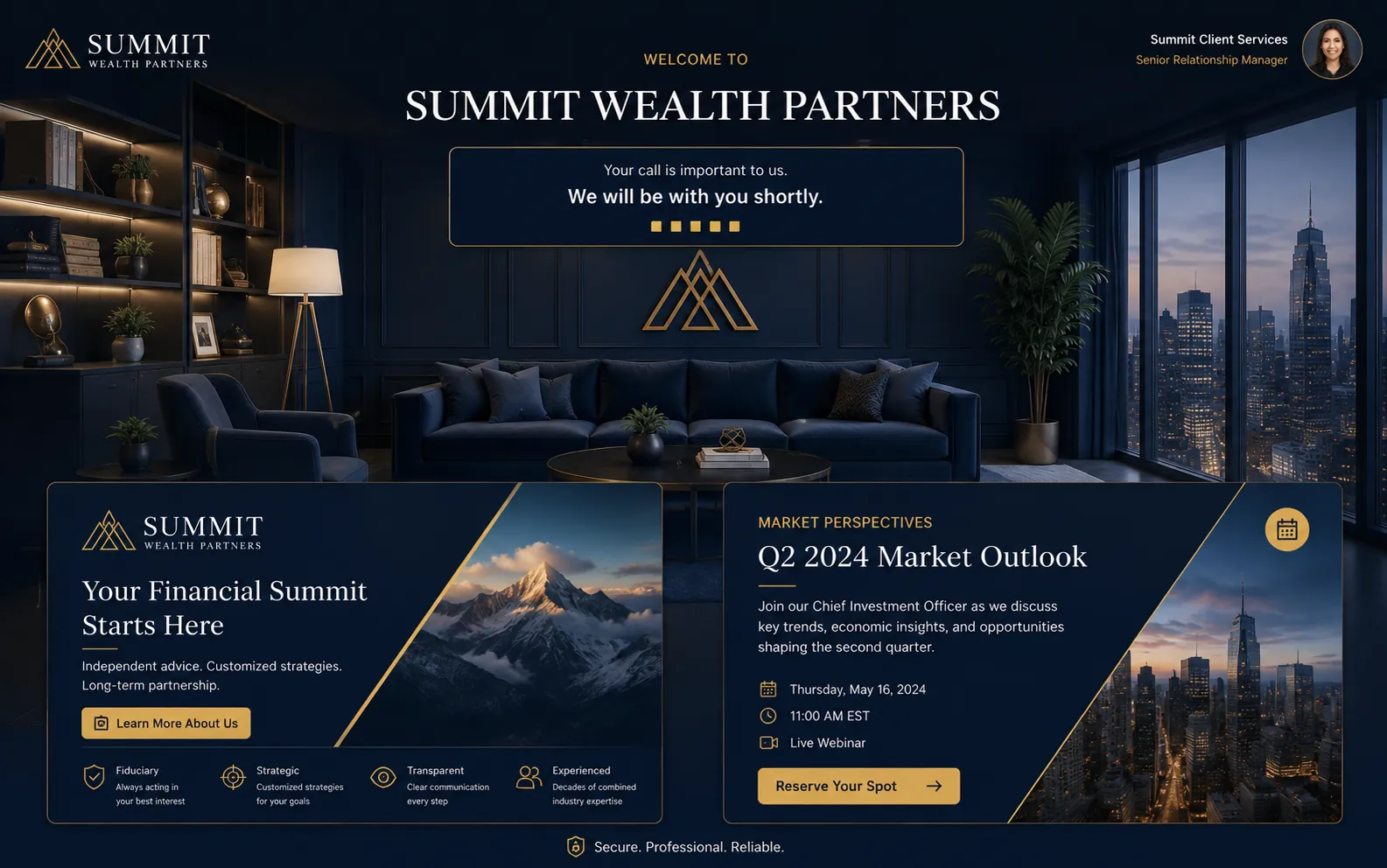
The Summit Wealth Partners example on our homepage is built for a client consultation:
- A premium welcome for prospective clients. Your firm’s look, the client’s name, and the advisor’s host card.
- Financial planning and advisory services. A short overview of how you work and who you help.
- The latest market outlook and events. A recent commentary piece, webinar, or client event.
Rooms for each kind of meeting
| Waiting room | Who it’s for | Content |
|---|---|---|
| Introductory consultation | Prospective clients | Your services, approach, and advisor introduction |
| Client review | Existing clients | The meeting agenda and latest market outlook |
| Webinar or event | Groups of clients | Event details and related reading |
What information does Lobbi collect from clients?
Only what you ask for. Check-in is optional. When it’s on, you choose whether to ask for a name, email, and phone number, and you can add one question of your own. Lobbi doesn’t host or record the call, which runs in your own Google Meet, Zoom, or Teams account. Follow your firm’s own policies on what to collect and what content to show, and see our privacy policy for how Lobbi handles data.
How to set up your client waiting room
- Paste your website URL. Lobbi’s AI pulls in your logo, colors, imagery, and messaging and builds four branded room designs.
- Pick a design and add your content for this kind of call.
- Connect your meeting. Connect Google Meet once, or add the Zoom or Teams link you want guests to join.
- Share the lobby link in invites, your booking page, or your email signature. It works for unlimited meetings.
- Admit guests when you get the alert in Lobbi, by email, or in Slack.
Frequently asked questions
Can I keep the same link for every client?
Yes. Each lobby has one permanent link, and you can update its content without changing the link. Use separate lobbies for prospects and existing clients if you want different content.
What if I’m running late from another meeting?
The client sees a running-late message in the room, sent by you or automatically after a wait you choose.
Do clients need to install anything?
No. The lobby opens in any browser, with no account or download.
Is it free?
Yes. The free plan includes two branded waiting rooms, you and one teammate, waiting room design and customization, Google Meet, and Slack notifications, with no card required. See pricing.
Make the first impression as considered as your advice.
Build a branded client lobby from your website in a few minutes.