A branded client waiting room for consultants
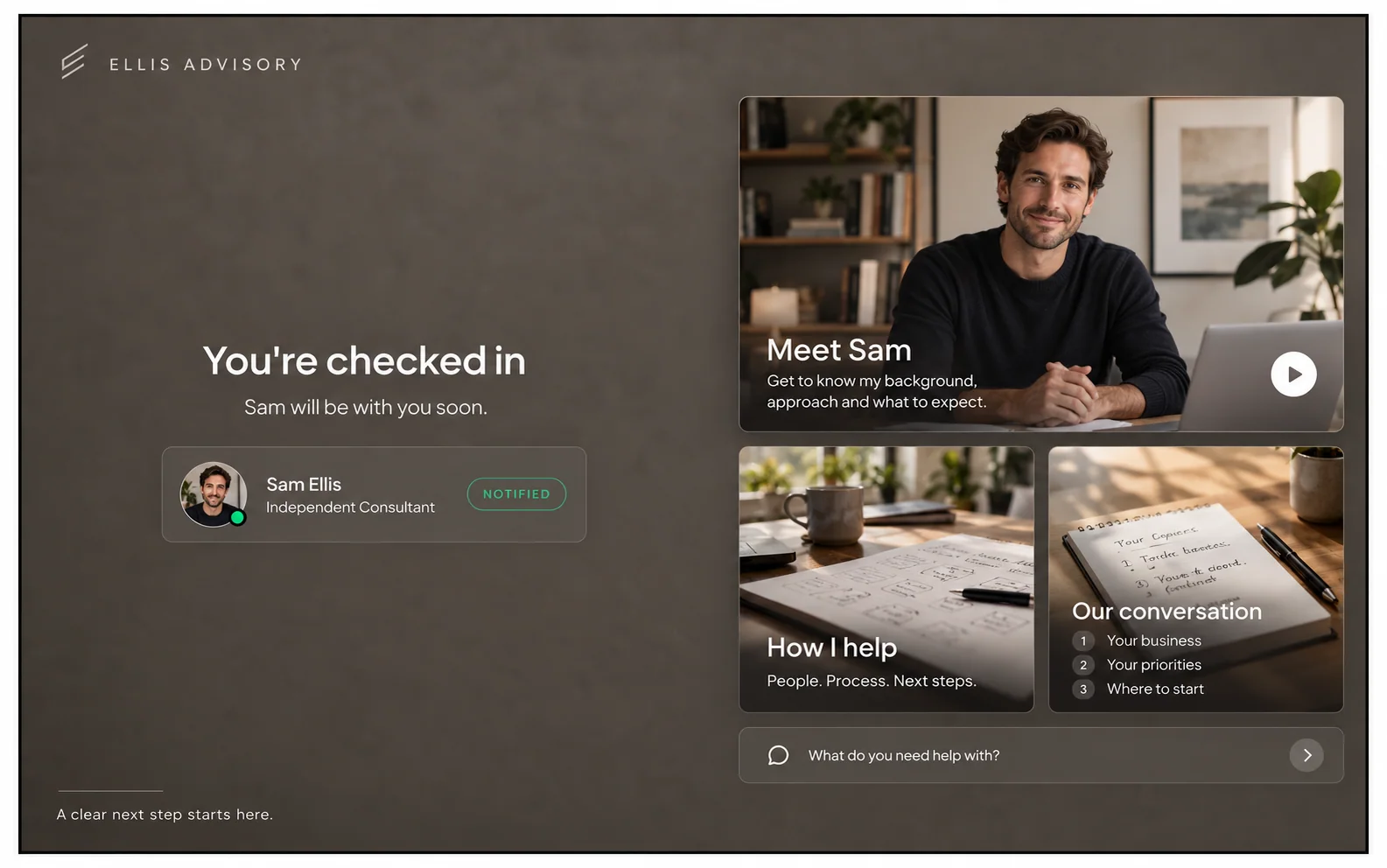
When you sell your expertise, every touchpoint is part of the pitch. Lobbi gives prospective and current clients a calm, branded room to wait in before your call, with an introduction to you, examples of your work, and a question about what they want to achieve.
The short answer
- Lobbi gives your consultation link a waiting room that looks like your practice, not like a video tool.
- Clients see a personal welcome, your introduction, example client work, and a question about their goals.
- You can run separate lobbies for discovery consultations and existing clients, each with its own permanent link.
- It works with Google Meet, Zoom, and Microsoft Teams, and with booking tools like Calendly.
Why does a waiting room matter for a consulting practice?
Independent consultants and small firms compete on trust. A prospect who opens your link and sees your brand, your face, and relevant work before the call is already more confident than one staring at a grey screen. For existing clients, the same room becomes a familiar front door to every session.
What to put in a consultation waiting room
The Ellis Advisory example on our homepage is built for a consultant’s discovery call:
- A calm, personal welcome. The client’s name and a short line about what the session is for.
- An introduction and example client work. Who you are, who you help, and one or two outcomes you’re proud of.
- A question about the guest’s goals. Asked at check-in, so you start the call already knowing what matters to them.
One practice, several rooms
| Waiting room | Who it’s for | What to show |
|---|---|---|
| Discovery consultation | New prospects | Your introduction, client outcomes, and a goals question |
| Client sessions | Current clients | A familiar welcome, the session agenda, and useful links |
| Workshop or group call | Several guests at once | The agenda and any pre-reading |
Each lobby has its own permanent link. You can update its design and content whenever you like without changing the link clients already have. The free plan includes two lobbies.
When a session runs over
Back-to-back client calls run over. When that happens, Lobbi can show the waiting client a running-late message, either when you send it or automatically after a wait you choose. You can also let clients admit themselves after a set time, so nobody is left waiting indefinitely.
How to set up your client waiting room
- Paste your website URL. Lobbi’s AI pulls in your logo, colors, imagery, and messaging and builds four branded room designs.
- Pick a design and add your content for this kind of call.
- Connect your meeting. Connect Google Meet once, or add the Zoom or Teams link you want guests to join.
- Share the lobby link in invites, your booking page, or your email signature. It works for unlimited meetings.
- Admit guests when you get the alert in Lobbi, by email, or in Slack.
Frequently asked questions
Does Lobbi record or host my calls?
No. Lobbi handles the welcome and the wait. The call itself runs in your own Google Meet, Zoom, or Teams meeting.
What do clients need to join?
Just the link. The lobby opens in any browser with no account or download.
Can I collect information before the call?
Yes, optionally: name, email, phone, and one question you write. Ask only what you need.
Is it free?
Yes. The free plan includes two branded waiting rooms, you and one teammate, waiting room design and customization, Google Meet, and Slack notifications, with no card required. See pricing.
Make your practice feel premium from the first click.
Build a branded client lobby from your website in a few minutes.