How to reduce sales call no-shows
A no-show isn’t always a prospect who forgot. Some book on impulse and lose interest. Some can’t find the link. Some join, see an empty call, and leave before you arrive. Each has a different fix. This guide covers ten tactics across the three moments where calls are lost: at booking, between booking and the call, and in the first minutes of the call itself.
The short answer
- At booking: ask one commitment question, keep the lead time short, and make rescheduling easy.
- Before the call: send a clear invite with one obvious link, a reminder that adds value, and a short personal note.
- At call time: greet early arrivals with something useful, know the moment they arrive, and tell them if you’re running late.
- Follow up every no-show the same day with an easy way to rebook.
Before the booking: qualify the intent
1. Ask one question that requires thought
A booking form with only name and email makes it easy to book on a whim. Add one question such as “What would you like to get out of this call?” Prospects who answer it have thought about the meeting, and you get material to prepare with.
2. Keep the gap between booking and call short
Interest fades. If your calendar lets prospects book three weeks out, many will have moved on by then. Offer slots within the next few days where you can.
3. Make rescheduling easier than skipping
A prospect who can’t make it will often simply not show up rather than email you. Include a reschedule link in the confirmation and the reminders, so changing the time is one click.
Between booking and the call: stay relevant
4. Send one clear link
Calendar invites can end up with several links: the booking tool’s, the video tool’s, a dial-in, and a document. Guests click the wrong one or can’t find the right one. Use a single, clearly labeled link to join.
5. Make reminders worth reading
A reminder that says “Your meeting is tomorrow” is easy to ignore. Add one useful thing: the agenda, a relevant case study, or the question you’ll start with.
6. Add a short personal touch
A brief personal message or a 30-second video from the person they’ll meet turns a calendar slot into a commitment to a real person.
At call time: don’t lose the people who show up
This is the moment most no-show advice skips. A prospect who joins a minute early and sees an empty call or a grey “waiting for host” screen doesn’t know if they have the right link or if you’re coming. Some leave. In your CRM, that looks exactly like a no-show.
7. Give early arrivals something to look at
A branded waiting room confirms they’re in the right place and gives them your welcome, the agenda, and something worth exploring while they wait.
8. Know the moment they arrive
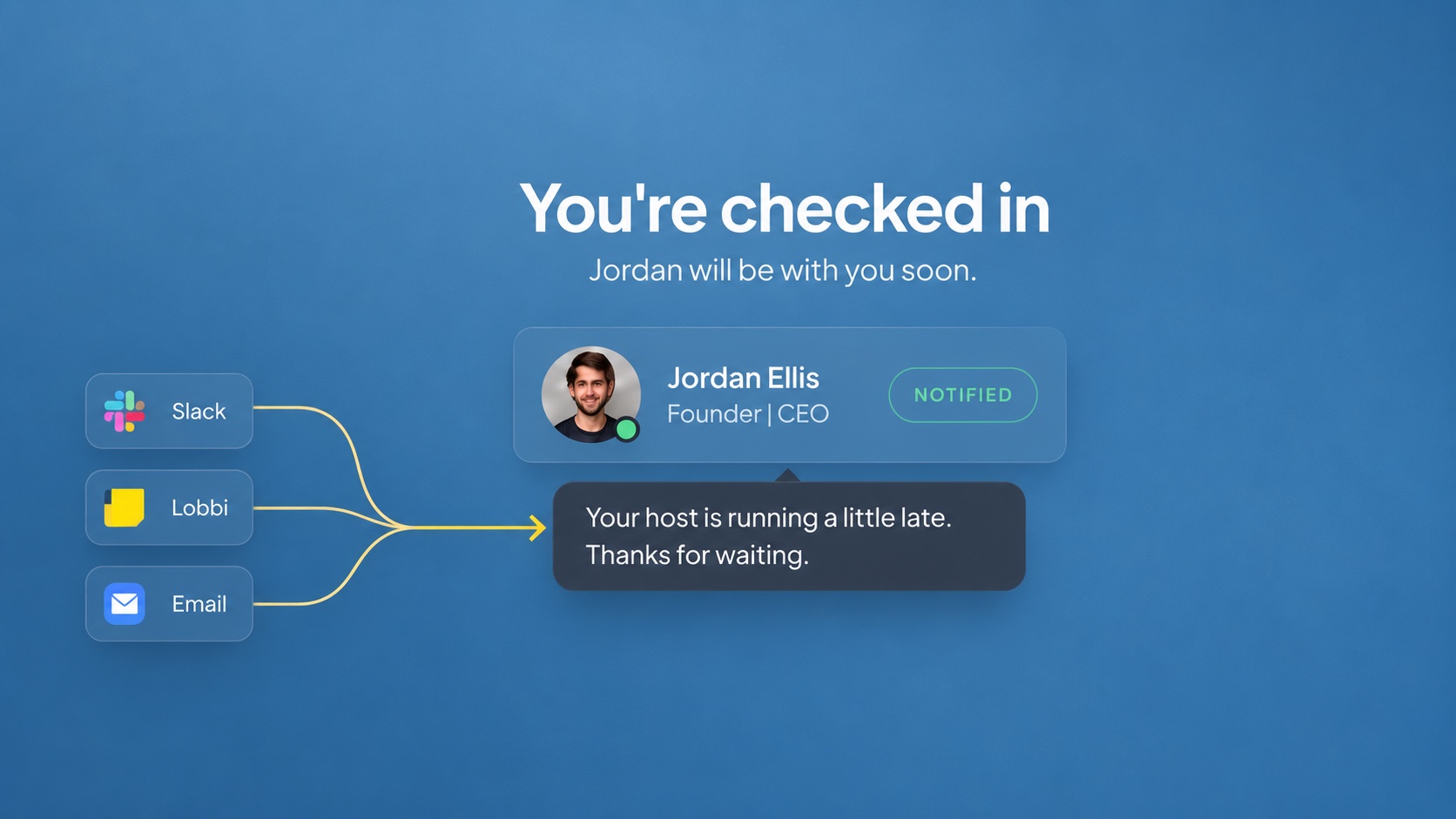
If you only find out a prospect is waiting when you open the call, you can’t react. Arrival alerts by email or in Slack let you join promptly or send word.
9. Tell them if you’re running late
Silence makes people leave. A short message saying you’re running a few minutes late keeps most people waiting. Better still, have it appear automatically once a guest has waited a set time.
After a no-show: recover the meeting
10. Follow up the same day
Send a short, friendly note within an hour or two with a link to rebook. Don’t guilt them. Most no-shows have a reason, and a prompt, easy rebooking link recovers many of those meetings.
Where Lobbi helps
| Cause of a lost call | What Lobbi does |
|---|---|
| Guest can’t find the right link | One permanent, branded link for every call |
| Guest arrives to an empty call | A branded room with your welcome and content |
| Host doesn’t know guest is waiting | Arrival alerts in the dashboard, by email, and in Slack |
| Host is running late | A running-late message, sent by you or automatically after a wait you choose |
| Host is very late | Optional self-admit after a wait from 1 to 120 minutes |
Lobbi doesn’t send booking reminders, so keep using your booking tool for those. It handles the part those tools don’t cover: the minutes when your guest has shown up and you haven’t yet.
Frequently asked questions
Should I charge a deposit to reduce no-shows?
For sales calls, usually not. A deposit adds friction to a meeting that benefits you as much as the prospect. Better qualification and reminders worth reading are the gentler levers.
How many reminders should I send?
Many teams send one the day before and one shortly before the call. Make each one useful rather than adding more.
How do I put a waiting room in front of my booked calls?
Set your Lobbi link as the meeting location in your booking tool. See the Calendly guide.
Stop losing the prospects who actually show up.
Give every call a branded waiting room, free.